RAHWE CRM · Customers & sales
Never let a lead stand still.
Without it
Sound familiar?
Enquiries sit in inboxes and go cold.
Nobody is sure who owns which lead.
Managers build reports by hand at month end.
What you get
Everything in CRM
Capture from everywhere
Website forms, Meta lead ads, Google Ads, WhatsApp, Telegram, email and guided spreadsheet import with duplicate checks.
Assignment rules
Round robin, weighted, by country or by workload. Managers can share a batch of leads across their team in one step.
A clock on every lead
A first-response deadline starts the moment a lead lands, with reminders and an escalation when it is missed.
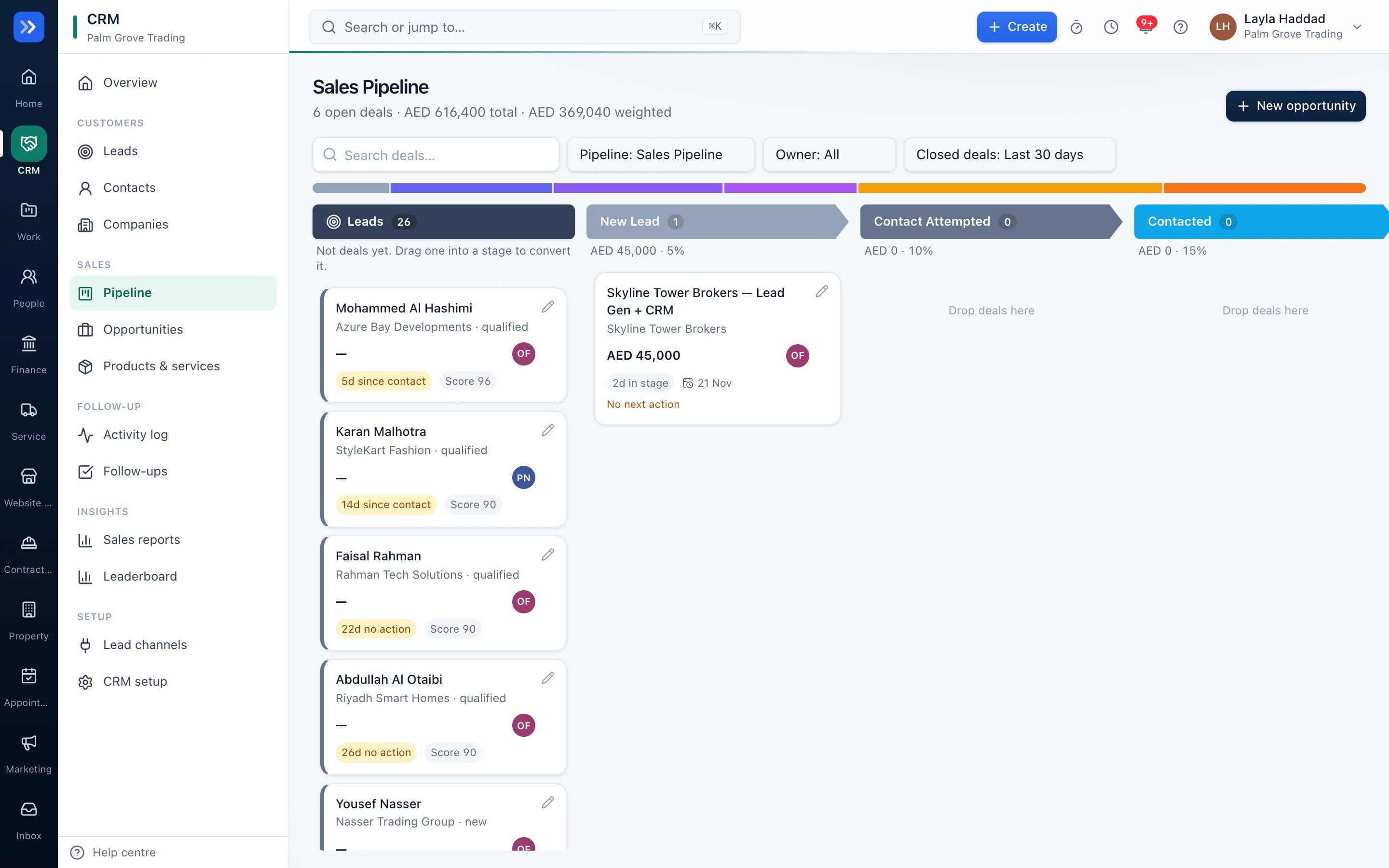
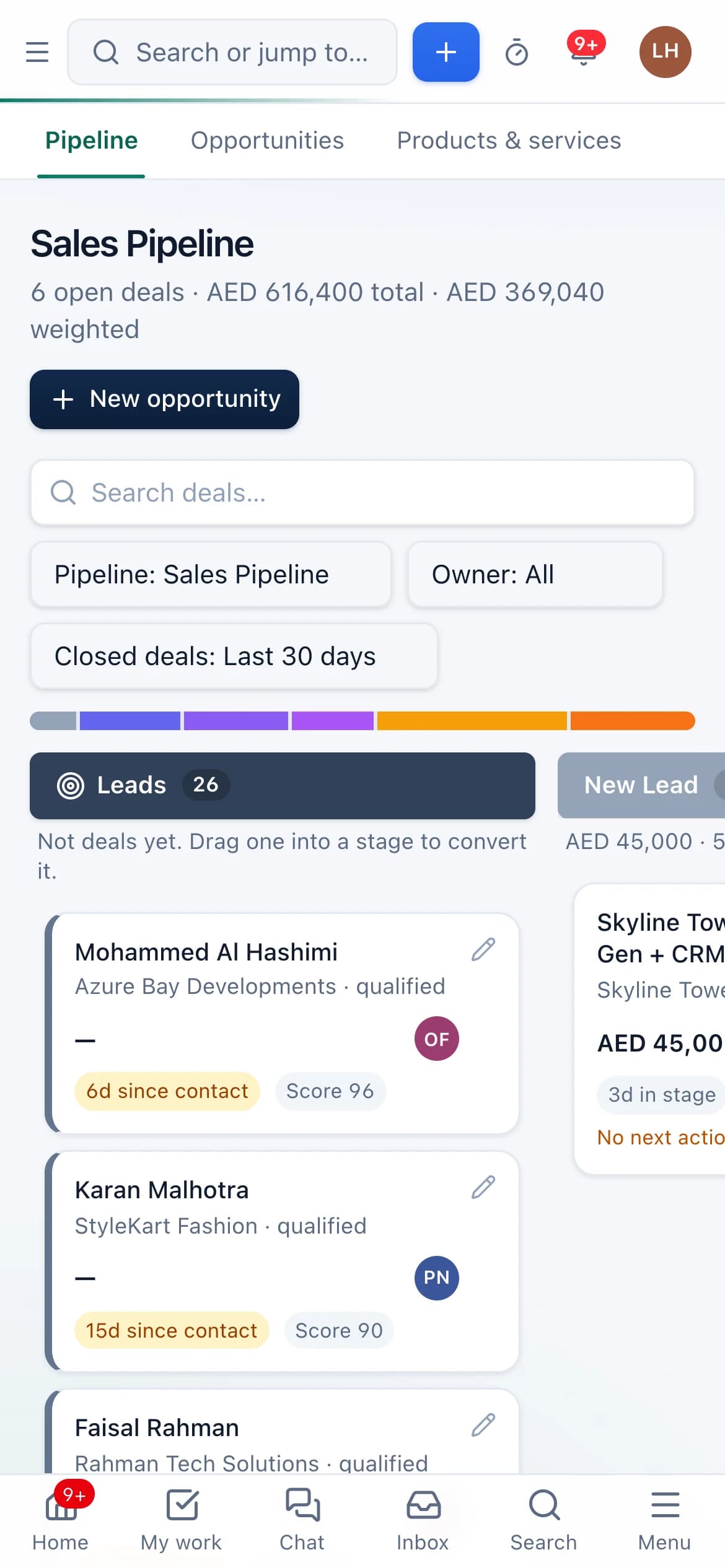
Pipeline and forecast
Drag deals across stages, see the weighted forecast, and record why deals are lost.
Scoring that explains itself
A score from 0 to 100 built from factors you can see and change.
Reports and leaderboards
Response times, conversion by source, team activity and targets, from live data.
Near-duplicate detection
Spots the same person entered twice even when the spelling differs, such as Mohammed and Mohamed.
Search by meaning
Press ⌘K and describe what you need. RAHWE finds related records even when the words differ, in English or Arabic.
Approvals on sensitive changes
Deleting a record or changing a deal's value can require an admin's sign-off.
Bulk edit and filters
Filter by owner, source, stage, nationality, language and more, then update many leads at once.
In action
Watch CRM at work
A real screen recording with a sample company.
How to use it
Up and running in 6 steps
The screen names match what you see in the app.
- 1
Bring in your leads
CRM → Leads → Import
Upload a spreadsheet, match your columns to RAHWE's fields and preview before importing. Duplicate phone numbers and emails are caught first.
- 2
Decide who gets which lead
CRM → Setup → Lead sharing
Choose round robin, weighted, by country or by workload. New leads from forms, ads and WhatsApp are shared out the moment they arrive.
- 3
Work the lead
Lead page
Call, message or email from the lead. Log the outcome and set the next follow-up date, so every open lead has an owner, a next step and a date.
- 4
Move it through the pipeline
CRM → Pipeline
Drag the deal across stages. Dropping a lead on the board converts it into a contact, company and deal in one step.
- 5
Win and hand over
Deal page
Mark the deal won. A handover with onboarding tasks goes to delivery, and the project and invoice can follow.
- 6
Watch the numbers
CRM → Insights
Response times, conversion by source, team activity and the leaderboard, all from live data.
Who uses it
Made for the people doing the work
Sales teams
Work their own leads with a clear next step on every one.
Managers
See their team's pipeline and who is falling behind.
Marketing
See which sources turn into revenue.
How it flows
One step leads to the next
- 1Lead arrives
- 2Owner assigned
- 3First contact within the SLA
- 4Qualified
- 5Deal won
- 6Handover to delivery
Works with
Better with the rest
Turn these on and they share the same customers, staff and records. Leave them off and CRM still works on its own.
Questions
Questions about CRM
Can I import my existing leads?+
Yes. Upload a spreadsheet, map the columns, and RAHWE checks phone numbers and avoids duplicates.
Do managers only see their own team?+
Yes. Visibility follows the reporting lines you set in People. Admins see everything.
Can I rename leads to enquiries or clients?+
Yes. The wording follows your industry and can be changed in settings.
What happens if a salesperson ignores a lead?+
The first-response clock runs out, the salesperson is reminded, and their manager is told. After three days without action the lead is flagged again.
Can I use RAHWE without the Marketing app?+
Yes. Leads can come from imports, forms, WhatsApp or typed in by hand. Each app works on its own.