RAHWE Work · Operations
Boards for every kind of work.
Without it
Sound familiar?
Tasks live in chat threads and spreadsheets.
Client projects and day-to-day boards drift apart.
Nobody can see the workload across the team.
What you get
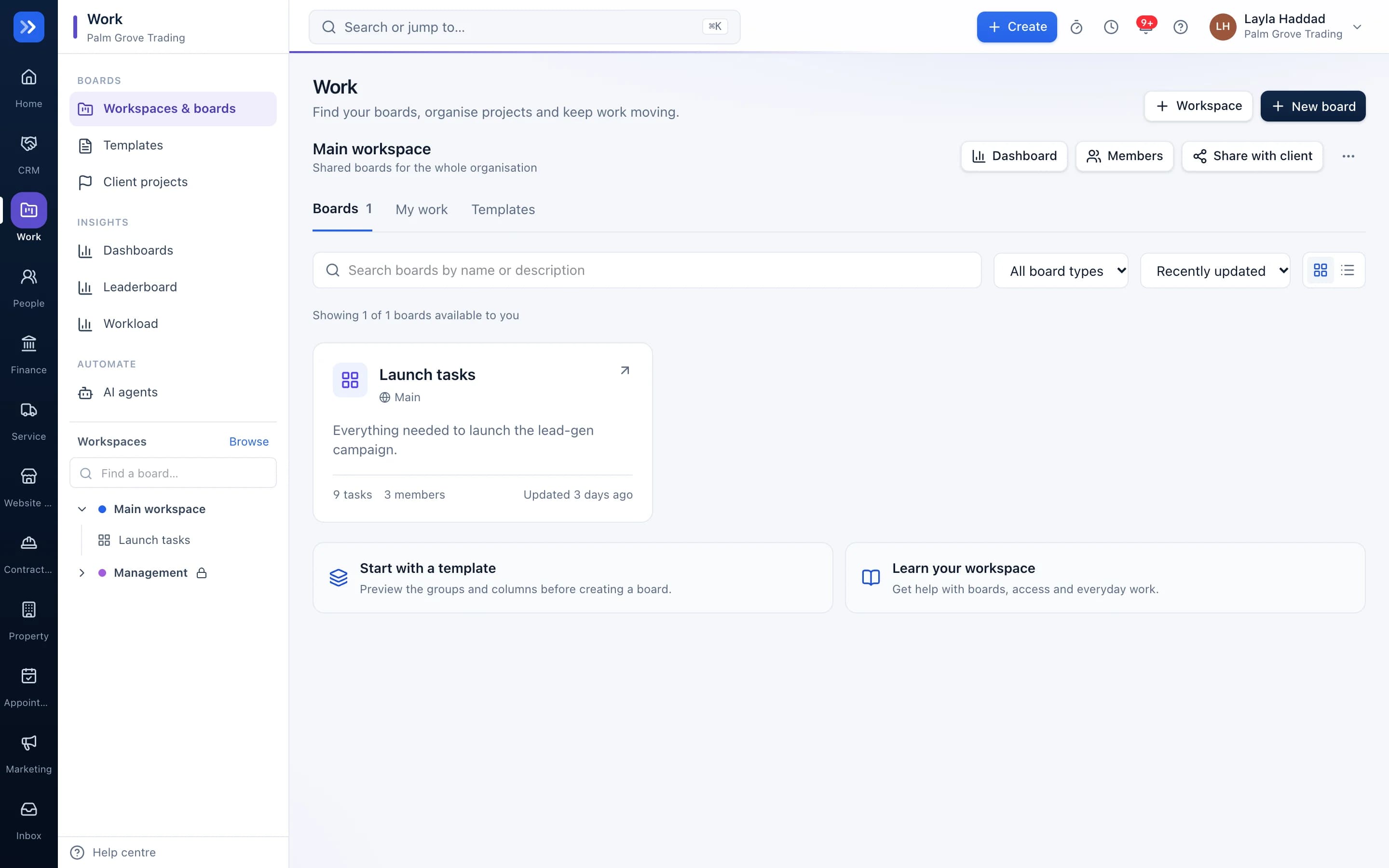
Everything in Work
Boards your way
Status, people, dates, numbers, files and formulas as columns, with table, kanban and calendar views.
Client projects linked to boards
A project keeps the client, deal, budget and invoices; its board holds the tasks. Milestones and team come across automatically.
Automations
When a status changes, notify someone, move the item or set a date, without writing rules by hand each time.
Dashboards
Roll up any boards into charts and numbers for the whole team.
Templates
Start from a template or save your own workspace as one.
AI agents
Agents that summarise boards and draft updates, using only what the person running them can see.
Forms
Collect requests into a board with a public form.
Share links
Give clients a read-only view of their board.
Import and export
Bring boards in from spreadsheets and export any time.
In action
Watch Work at work
A real screen recording with a sample company.
How to use it
Up and running in 5 steps
The screen names match what you see in the app.
- 1
Start from a template
Work → Templates
Pick a workspace template or start empty.
- 2
Shape the board
Board
Add columns for status, people, dates, numbers, files and formulas. Switch between table, kanban and calendar.
- 3
Add the team
Board → Members
Invite people to the board and assign items.
- 4
Automate the routine
Board → Automations
When a status changes, notify someone, move the item or set a date.
- 5
See the big picture
Work → Dashboards
Roll up several boards into charts and workload views.
Who uses it
Made for the people doing the work
Agencies
Run every client's delivery on its own board.
Operations
Track recurring processes and handovers.
Leaders
See workload and overdue work across teams.
How it flows
One step leads to the next
- 1Project created
- 2Board created automatically
- 3Team assigned
- 4Tasks move across
- 5Milestone reached
- 6Invoice raised
Works with
Better with the rest
Turn these on and they share the same customers, staff and records. Leave them off and Work still works on its own.
Questions
Questions about Work
What is the difference between a project and a board?+
A client project holds the commercial side: client, deal, budget and invoices. Its board holds the work. RAHWE creates the board for you and links them.
Can people outside the company see a board?+
You can share a read-only link to a board when you choose to.
Can I see who is overloaded?+
Yes. The workload view shows each person's assigned items and capacity across boards.