RAHWE Finance · Money
Real books, not just income and expenses.
Without it
Sound familiar?
The finance tool is just a list of invoices.
Spending is approved by message.
Month end means rebuilding reports in spreadsheets.
What you get
Everything in Finance
Double-entry ledger
Every entry balances. Posted entries cannot be edited or deleted, only reversed, so the audit trail is complete.
Posts itself
Sent invoices, received payments, approved expenses and vendor bills reach the ledger without manual journals.
Purchase orders and approvals
Orders above your limit need someone else's approval. Goods are received against the order and the bill is built from what arrived.
Payment approvals
Vendor payments above a limit wait for a second person. Nobody approves their own request.
Bank reconciliation
Tick off the statement; it only closes when it matches to the cent.
Statements and VAT
Profit and loss, balance sheet, trial balance, general ledger, ageing and a VAT summary, with period closing.
Receipt and cheque reading
Reads photos in English and Arabic on our own server. The photo is not kept.
Credit limits and statements
Customer balances with ageing, and a warning when a new invoice passes the credit limit.
Deposits and payment links
Ask for a deposit and include your payment provider's link on every invoice and reminder.
In action
Watch Finance at work
A real screen recording with a sample company.
How to use it
Up and running in 5 steps
The screen names match what you see in the app.
- 1
Send an invoice
Finance → Invoices
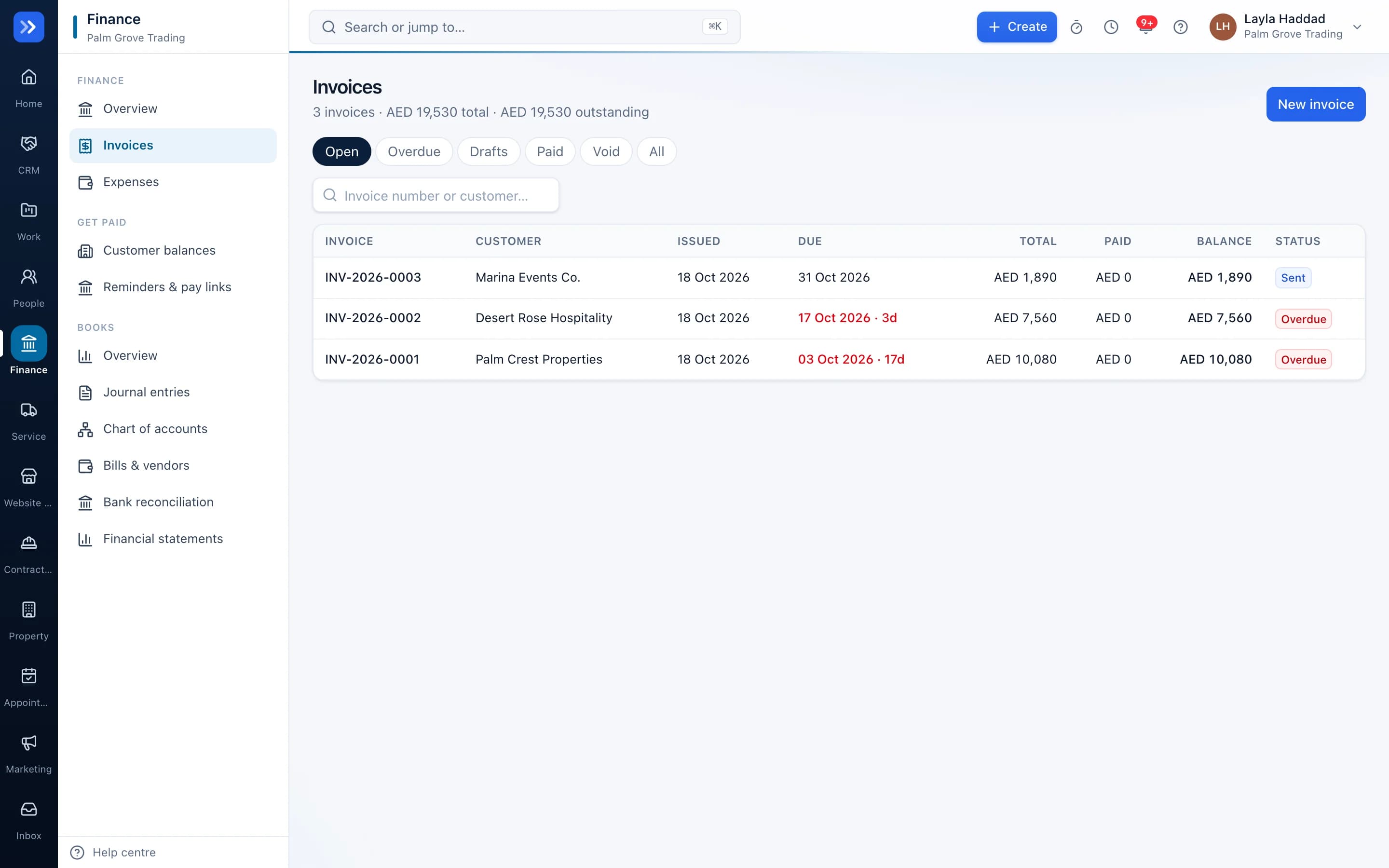
Pick the customer, add lines and tax, and send it. It posts to your books automatically.
- 2
Get paid faster
Finance → Get paid
Automatic reminders go out before and after the due date, with a payment link and a customer statement.
- 3
Record spending
Finance → Expenses
Snap a receipt: RAHWE reads the amount, date, VAT and vendor and fills the form for you to check.
- 4
Buy with control
Finance → Purchasing
Raise a purchase order, get it approved, receive the goods and match the bill.
- 5
Close the month
Finance → Books
Reconcile the bank, review the statements and lock the period.
Who uses it
Made for the people doing the work
Finance teams
Close the month from one set of books.
Operations
Raise purchase orders and record deliveries.
Owners
See cash, receivables, payables and profit at a glance.
How it flows
One step leads to the next
- 1Purchase order
- 2Approved
- 3Goods received
- 4Bill matched
- 5Payment approved
- 6Bank reconciled
Works with
Better with the rest
Turn these on and they share the same customers, staff and records. Leave them off and Finance still works on its own.
Questions
Questions about Finance
Is the VAT report ready to file?+
It is a working summary from your ledger. Have a qualified accountant review it against current official requirements before filing.
Can I correct a mistake?+
Yes, by reversing the entry. The original and the reversal both stay in the books.
Can my accountant work in RAHWE?+
Yes. Invite them with the finance role; they see the books without seeing your sales notes.
Try RAHWE Finance.
Switch on Finance alone or with the rest of the apps.