RAHWE Property · Industry editions
Developers, brokers and property managers.
Without it
Sound familiar?
Unit availability lives in a spreadsheet.
Listings lack proper photos, maps and agent details.
Rent cheques and maintenance are tracked on paper.
What you get
Everything in Property
Developer mode
Projects and payment plans, bulk unit inventory, bookings that lock the unit, instalment schedules, collections and channel-partner commission.
Brokerage mode
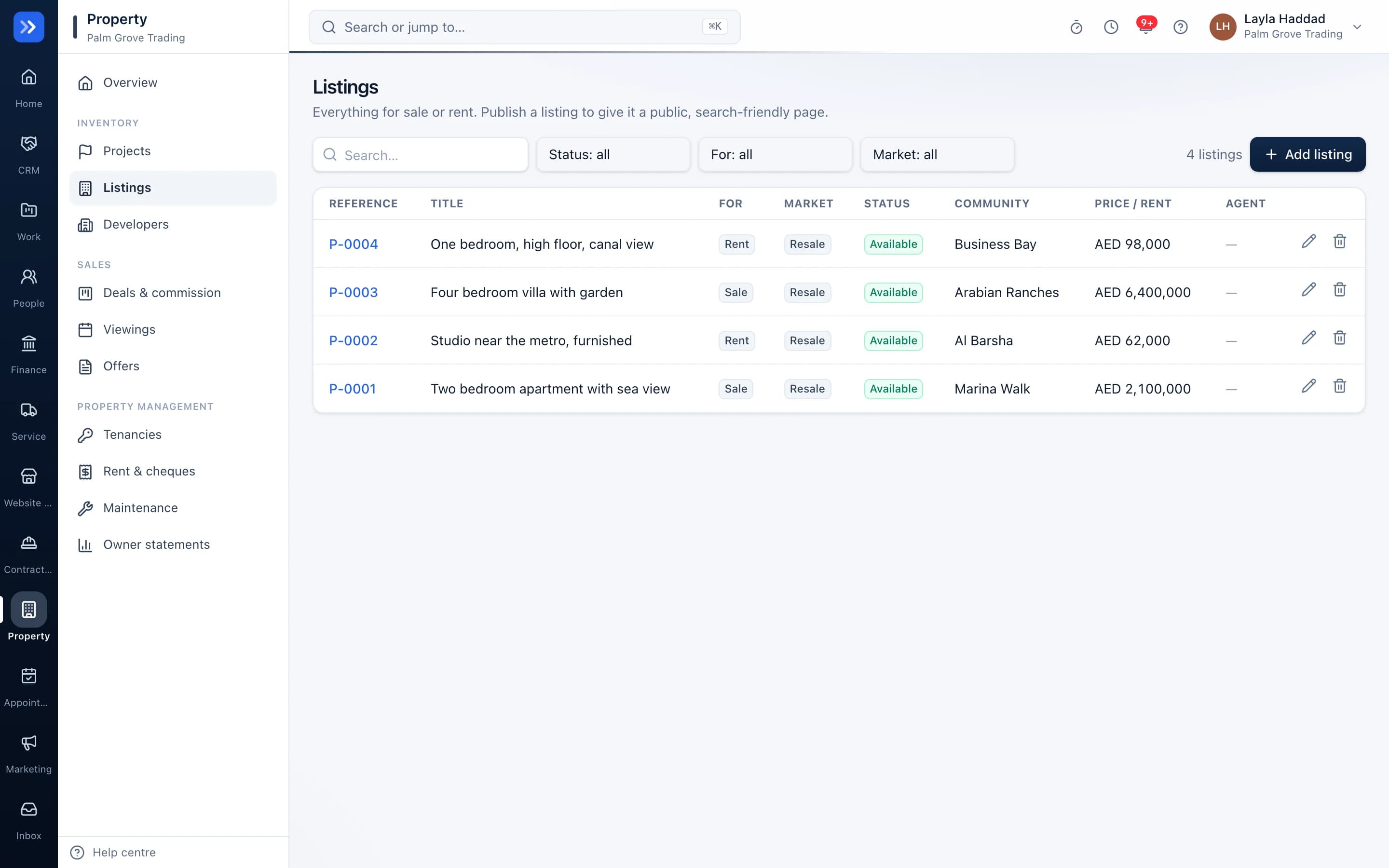
Listings with uploaded photos, floor plans, map, permit and agent; viewings, offers, deals and commission splits.
Property management mode
Tenancies, rent and cheque schedules, maintenance with who pays, and owner statements.
Sales offers
Send a buyer a priced offer for a unit with its payment plan, or for a sale or rental listing. They accept with a typed signature from a private link, and you convert it into a booking, deal or tenancy. Held units are released if the offer expires.
Your own listings site
Published listings appear on your organisation's own address with search, photo gallery, map and an enquiry form.
Enquiries become deals
A website enquiry lands as a deal assigned to the listing's agent.
Matching
Similar listings are suggested automatically when one is taken.
In action
Watch Property at work
A real screen recording with a sample company.
How to use it
Up and running in 6 steps
The screen names match what you see in the app.
- 1
Choose your modes
Property → Settings
Developer, brokerage, property management, or any mix.
- 2
Add listings or units
Property → Listings or Units
Upload photos and floor plans, place it on the map and assign an agent.
- 3
Publish
Listing
Published listings appear on your own site with search, gallery, map and an enquiry form.
- 4
Send a sales offer
Property → Sales offers (or Make an offer on a lead or listing)
Pick the unit or listing, set the price, discount, booking fee and the date the offer stays valid. Send the private link by WhatsApp or email; a unit can be held for the buyer meanwhile.
- 5
Convert the accepted offer
Property → Sales offers
When the buyer accepts with a typed signature, convert it into a unit booking with its payment plan, a deal, or a tenancy. Other offers on the same unit close automatically.
- 6
Run deals or tenancies
Property → Deals or Tenancies
Viewings, offers and commission for sales; rent, cheques and maintenance for leasing.
Who uses it
Made for the people doing the work
Developers
Sell units through brokers and collect instalments.
Brokerages
Publish listings and route enquiries to agents.
Property managers
Collect rent and report to owners.
How it flows
One step leads to the next
- 1Listing or unit
- 2Enquiry
- 3Viewing
- 4Sales offer sent
- 5Buyer accepts
- 6Booking, deal or tenancy
Works with
Better with the rest
Turn these on and they share the same customers, staff and records. Leave them off and Property still works on its own.
Questions
Questions about Property
Can one company be a developer and a property manager?+
Yes. Switch on both modes and you see both sets of tools on the same data.
Can I send a buyer an offer with a payment plan?+
Yes. Choose a unit or listing, set the price, discount, booking fee and validity, and send the private link by WhatsApp or email. The buyer can accept, ask questions or decline, and you see every step.
Are drafts visible to the public?+
No. Only published, available listings and their pictures are public.
What if the buyer does not answer?+
The offer expires on its validity date, a held unit goes back on sale and you are reminded.
Try RAHWE Property.
Switch on Property alone or with the rest of the apps.